Discover the 2026 WiFi Warden Mod APK that lets you easily reveal WiFi passwords and perform security checks with advanced tools and no ads. Experience a unique and efficient network analysis today.
Imagine yourself at a café or library trying to connect to a public WiFi network, but you don’t have the password. This is where the WiFi Warden Mod app comes in, helping you reveal passwords of protected WiFi networks and easily scan their security quickly. No prior expertise is needed—just open the app and start scanning nearby networks to uncover many unexpected details.
In the following lines, we will guide you through the experience of downloading WiFi Warden Mod and how to practically benefit from this modified version. We will explore its key features, the differences between the original and modded versions, and how to leverage its tools for enhanced network scanning performance. We will also highlight strengths and weaknesses to help you make an informed decision before using the modded version.
Comprehensive Overview of WiFi Warden Mod: What It Does and Why It Matters
The development of WiFi Warden targets wireless network users and those interested in internet security, featuring a clear design that’s easy to operate without root permissions. This makes it accessible for both hobbyists and professionals alike. The core idea is to empower you to assess the security of local WiFi networks and identify vulnerabilities.
This app outperforms many similar programs by providing accurate, real-time information, including discovering accessible passwords through enhanced techniques. It’s a refuge for anyone wanting peace of mind about their home network or to test any wireless network regardless of encryption complexity.
The WiFi Warden Mod version does not restrict feature usage; instead, it allows full operation of all scanning tools, offering greater freedom than the original version while minimizing disruptive ads.
WiFi Warden Mod Features That Make Daily Use Smarter and More Flexible
This app contains a suite of tools that upgrade your phone into an advanced wireless network scanner. Here are the standout benefits of the modded version for everyday use:
Network Password Detection: Effectively scan nearby networks and reveal stored or protected passwords to evaluate security or recover forgotten passwords.
Modded Network Security Testing: Quickly assess network integrity and detect encryption vulnerabilities without complex settings or extra software.
Advanced Analysis and Scanning Tools: Includes network heat measurement, encryption type, and connection speed level for a comprehensive evaluation.
No Root Required: Simplifies usage for everyone without the complications or risks related to rooting.
Instant Results with Simplified Reports: Quickly understand network status through well-organized, easy-to-read information.
Ad Removal: A distraction-free environment increases your efficiency.
Full Activation of Scanning Functions: The mod unlocks all tools without restrictions, enabling advanced testing.
Integrated App Interface: Seamlessly switch between tools on a single screen without toggling multiple windows.
Continuous Network Monitoring: Tracks real-time changes in connected networks and alerts you to suspicious activity.
High Compatibility with Android Devices: Runs smoothly on most modern devices without issues.
These features form a technical ecosystem that makes the app suitable for frequent use and for entities requiring continuous, precise network scanning.
Pros and Cons from My Experience with WiFi Warden Mod
Pros
No root permissions needed, reducing operational complexity and security risks.
Full access to all advanced testing tools without restrictions in the mod version.
Ad-free experience for more focused and faster use without distractions.
Instant results help you make quick decisions about network security.
Compatible with a wide range of Android devices, facilitating use on most phones.
Cons
Does not guarantee password detection for all networks; highly secured networks remain difficult to access.
Official updates are infrequent, which might affect support for some devices or new versions.
Using the modded version may expose you to security risks, especially with prolonged reliance.
May experience lag or crashes on low-end or very old devices.
Advantages of the WiFi Warden Mod and Opportunities It Opens
Downloading the WiFi Warden Mod app gives you full access to features previously unavailable or limited in the original version. The modded version represents greater freedom and control without ads:
Full access to all app features unlocked: Explore all advanced scanning tools without barriers or upgrade purchases.
Easier and faster password testing: Password detection is quicker and more accessible compared to the original app version, which may restrict this capability.
Removal of restrictions on testing tools: Free access to all functions without subscriptions.
Ad-free usage: Smooth workflow without interruptions.
Full activation of Pro features: Benefit from advanced protocols suited for professional testers, achieving more accurate results.
However, be aware that this version does not guarantee full hacking capabilities or absolute protection, nor does it provide official updates. Responsible use requires awareness, as it is a helpful tool but not a complete substitute for security.
Technical Information and System Requirements for WiFi Warden Mod
Running the modded version requires no root permissions, making the app widely accessible. It is compatible with most modern Android versions but may encounter difficulties on some older or unusual devices. Ensure you have sufficient storage space before installation to avoid errors.
The modded APK size is under 10 MB, making it suitable for most smartphones without negatively impacting performance. The original developer laid the foundation for this app, while the mod unlocks all analysis and testing tools independently.
Version: 3.4.9 Mod
Size: 8.5 MB
Android Required: 5.0 and above
Developer: Andriller Labs (Original Version)
File Type: Modded APK
Permissions: Internet access, location, wireless network access
Practical Tips to Maximize Your Use of WiFi Warden Mod
Based on my personal experience, here are some steps to effectively activate complex tools and improve your success rate in network tests:
Start with a quick scan: Scanning surrounding networks first is an excellent way to save time before diving into detailed tests.
Avoid using hacking tools on weak connections: Unstable networks can negatively affect accuracy or halt the process.
Test the app in multiple locations: Network coverage and security vary by place, so move around to fully understand the app’s behavior.
Follow updates cautiously: Mod updates may require uninstalling the old version; minimize loss of settings.
Do not share testing tools with inexperienced users: Protect your privacy and the networks you scan.
Brief Comparison Between Original and Modded WiFi Warden for Android
The differences between the original and modded versions are clear in terms of control freedom and overall performance. The following table offers a detailed, practical comparison:
Feature
Original Version
Modded Version
Full access to analysis tools
Limited to specific tools
Unlocked without restrictions
Network password detection
Limited or unavailable
Available and easy to use
Advertisements
Frequently present
Completely removed
Activation of advanced Pro features
Restricted for some users
Available for all
Access to testing tools
Requires upgrade or subscription
Available immediately after installation
Performance and stability
Stable but limited
Stable with broader capabilities
The modded version offers greater flexibility, wider scanning opportunities, and smoother performance compared to the original.
How to Launch and Use WiFi Warden Mod for the First Time
Practical Steps to Get Started Quickly
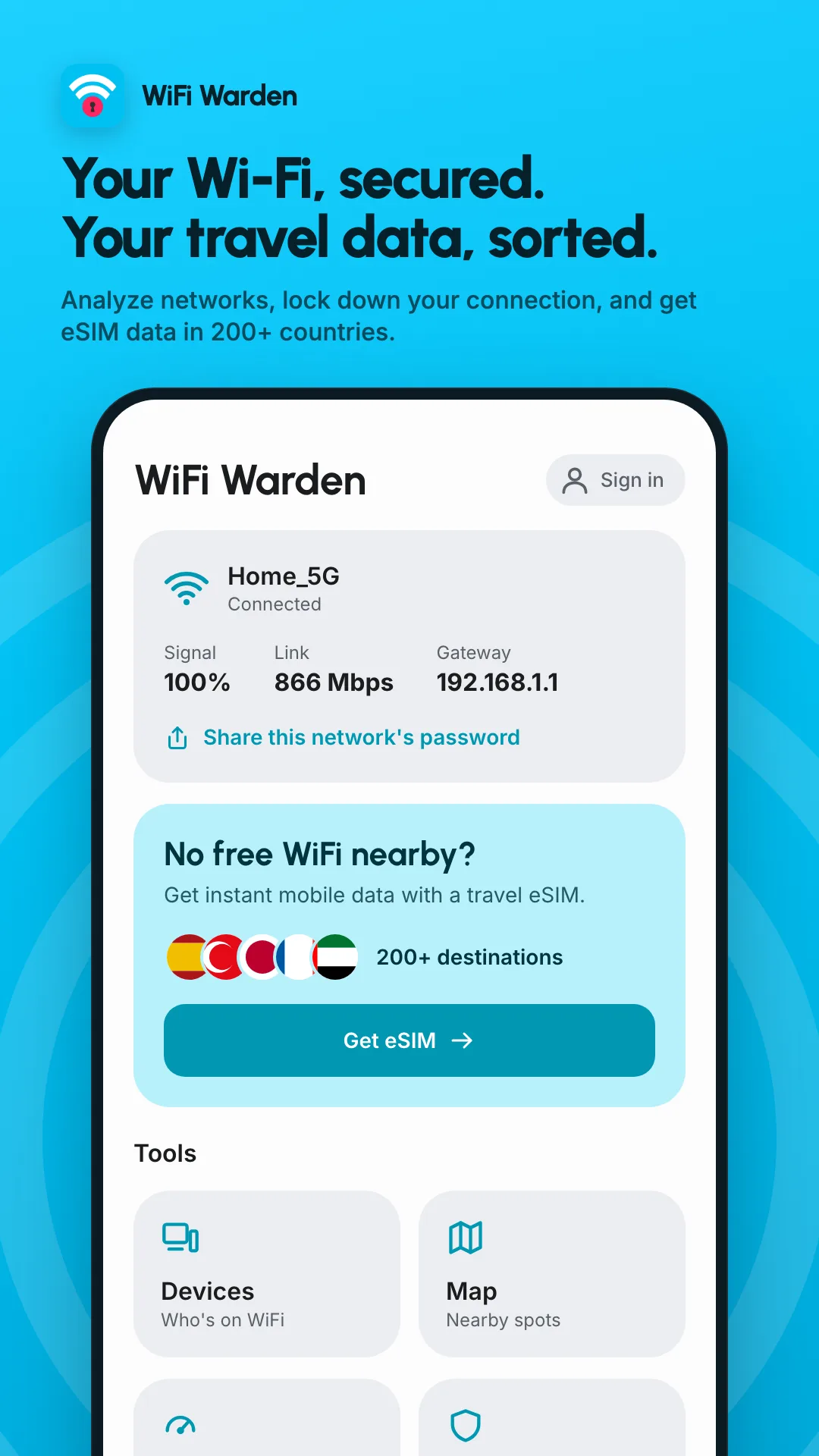
Open the app after installation: You will see a list of visible networks within your device’s range, including details like signal strength and encryption type.
Select a network to scan: Tapping a specific network reveals options to test security level and review available passwords.
Start password testing: Use the modded tools to try potential passwords and discover network vulnerabilities.
Review scan results immediately: Accurate reports highlight network weaknesses for real protection assessment.
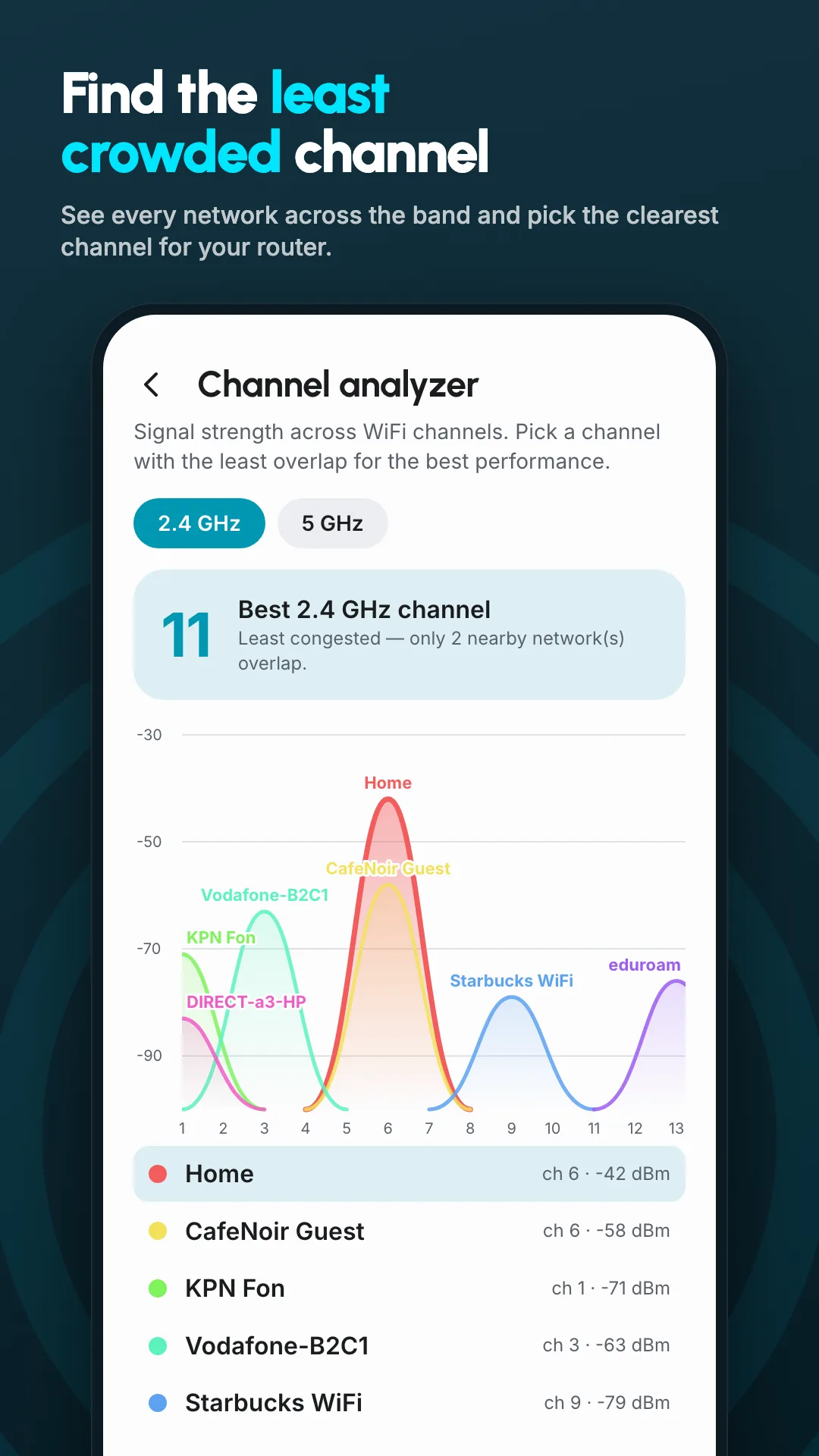
Move to the advanced tools section: Explore deeper analytics like internet traffic monitoring and channel usage.
Real-Life Usage Scenarios for WiFi Warden Mod in Your Daily Life
The value of WiFi Warden Mod shines in real-world situations you face daily. For example, Ahmed, an employee in a shared office, experienced a sudden drop in internet speed. Using the app, he discovered unknown devices consuming bandwidth, blocked them, and restored fast connectivity.
Maryam, a university student, moved between several cafés struggling to find passwords for protected networks. Thanks to WiFi Warden Mod, she assessed network security and used the feature to reveal open or stored passwords, making her connection easier and faster without constant inquiries.
Jihad, a network engineer, uses the modded version to analyze his new home network. With advanced encryption scanning tools, he found security weaknesses and updated settings to meet modern standards. He also monitored network performance and connection changes to protect his family from breaches.
Even casual use in hotels or public places benefits from downloading WiFi Warden Mod free for Android, allowing you to identify the fastest and most secure network easily without technical complications.
These practical cases prove that the modded WiFi Warden for Android adds real value when curiosity strikes or you need to test WiFi network security.
Common Errors and Solutions When Using WiFi Warden Mod
Despite many advantages, some users face common issues that require simple fixes:
No networks appear during scanning: Usually due to WiFi data collection being disabled in phone settings or missing location and WiFi permissions. The fix is to ensure permissions are correctly set and restart the app or device.
No passwords or incomplete results: Some modern networks use advanced encryption like WPA3, making password detection difficult. Focus on evaluating network weaknesses rather than obtaining every password.
App crashes or freezes during scanning: Often caused by limited device resources or corrupted Android version. Updating or choosing a compatible version improves stability.
Delayed or inaccurate data updates: Numerous networks may affect real-time data collection. Try restarting WiFi or closing apps that may interfere.
Mod installation fails: Security settings may block installation from unknown sources. Change security settings to allow APK installs outside the store and clear storage space.
With these practical tips, the performance of the modded wireless network scanner improves noticeably, enabling better control, more accurate results, and more stable operation.
Safe and Easy Download of WiFi Warden Mod APK for Android in 2024
For those wanting a stable release, the WiFi Warden Mod version offers a suitable size with full activation and no ads. Important tips before installation include:
Enable installation from unknown sources: In your device’s security settings, to allow installing modded APK files.
Download the modded version for free from a trusted source: Verify the file’s integrity before starting installation.
Install the app immediately after download: Grant necessary permissions and complete the steps smoothly.
Wait for installation to finish and start using: Ensure the mod version runs without issues.
Avoid automatic updates via Google Play: As mod versions usually don’t support official updates.
Beware of untrusted copies: To protect your device and data, always check files before use.
The current 2024 version is 3.4.9 Mod, suitable for Android 5.0 and above. It provides a comprehensive working environment with full scanning tools enabled and no ads.
Note: Use the modded version responsibly and legally. It is prohibited to use it for unauthorized purposes or to scan networks without permission.
Personal Verdict After Testing WiFi Warden Mod
I tested the modded version for several days and found it a practical technical solution for users with a security background who want full control over scanning tools and removal of obstacles that hinder work. The mod reflects the app’s maturity in facilitating tasks for specialists in this field.
However, I would not recommend it for ordinary or beginner users, as the volume of tools and result details require deep understanding to use correctly. The mod acts as a key to many capabilities but demands intelligence and caution in usage. WiFi Warden Mod is a tool for responsible use, opening doors for professional network scanning when you understand its limits and usage duration.